
It’s Thursday afternoon. The board packet is due tomorrow, and the head of school needs a cash flow summary. The figures exist, but pulling them together, checking discrepancies, and formatting the report takes another two hours.
For many independent schools, this extra work has become routine. It rarely appears in budgets or system evaluations, yet it takes time away from the financial analysis and planning that matter most.
FINACS helps schools manage board-ready financial reporting, student billing that posts transactions automatically to the general ledger, and budget tracking in one system. Here’s how those tools can reduce the manual work behind everyday finance tasks.
Manual Processes vs. FINACS
| Finance task | With manual processes | With FINACS |
| Board reporting | Gather figures, reconcile records, and reformat reports | Generate financial statements, fund summaries, and budget variance reports |
| Billing reconciliation | Re-enter billing transactions and compare separate records | Automatically post billing transactions to the general ledger |
| Budget monitoring | Consolidate figures before reviewing spending | Compare actual spending against budget allocations |
| Student invoicing | Prepare invoices individually and track adjustments manually | Generate invoices in batches and manage flexible tuition plans |
| Outstanding balances | Compile payment information to identify overdue accounts | Review accounts receivable, aging, and past-due reports |
These capabilities don’t eliminate the need for financial review. They help reduce the preparation required before a finance team can review the numbers and act on them.
Want to see how a board report is built in FINACS? Explore FINACS and request a demonstration.
1. Batch Billing Without Repetitive Manual Work
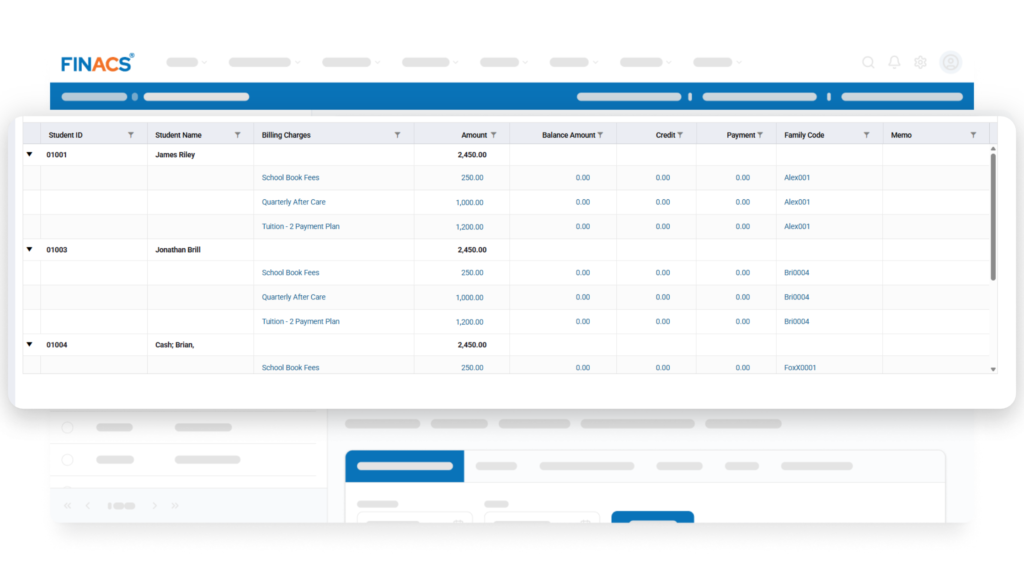
The problem: Generating invoices individually can take considerable time, especially when a school manages tuition charges for many students. Staff may also need to account for different tuition plans, sibling discounts, and fee waivers, making the billing process more involved.
What FINACS does: FINACS Student Billing supports flexible tuition plans, batch invoice generation, sibling discounts, and fee waivers. These features help schools generate invoices for multiple students efficiently while accommodating different billing arrangements.
What the team no longer has to do: Spend as much time preparing invoices individually and manually handling routine billing adjustments. Staff can focus on reviewing billing details and resolving exceptions.
2. Finding Outstanding Balances and Overdue Accounts
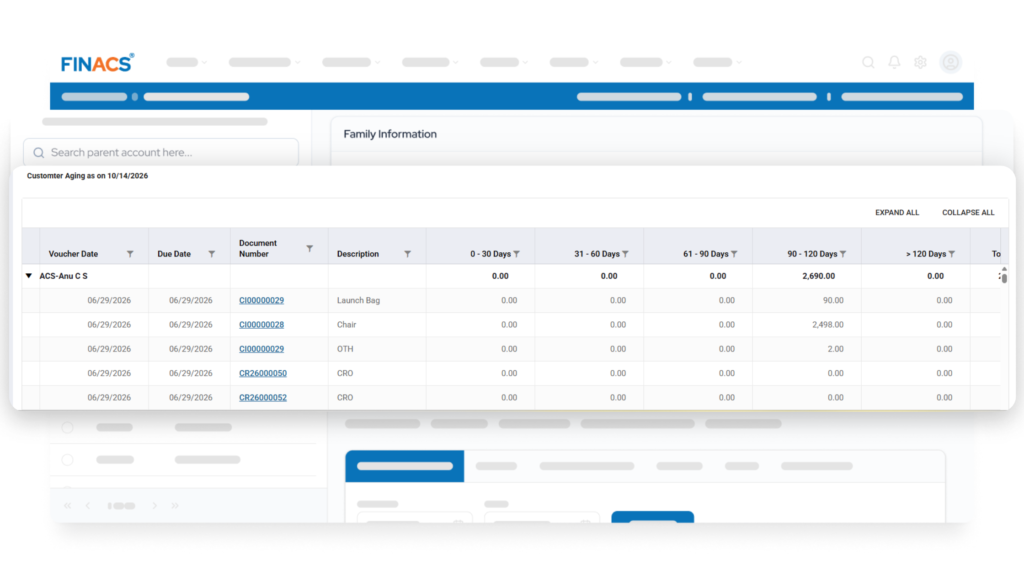
The problem: Identifying overdue accounts can involve gathering payment details, checking student balances, and preparing separate lists of accounts that need follow-up. When this information takes time to compile, finance teams may find it harder to prioritize collections and keep track of outstanding amounts.
What FINACS does: FINACS provides accounts receivable reporting, including aging reports, past-due reports, account summaries, and outstanding balance reports. These reports help finance teams review unpaid amounts, examine account activity, and identify accounts that require collection follow-up.
What the team no longer must do: Compile a new list of overdue accounts from scratch whenever collections need attention. Staff can use the available reports to identify outstanding balances, prioritize follow-ups, and determine the appropriate next steps.
3. When Billing Transactions Need to Be Entered Again in Accounting
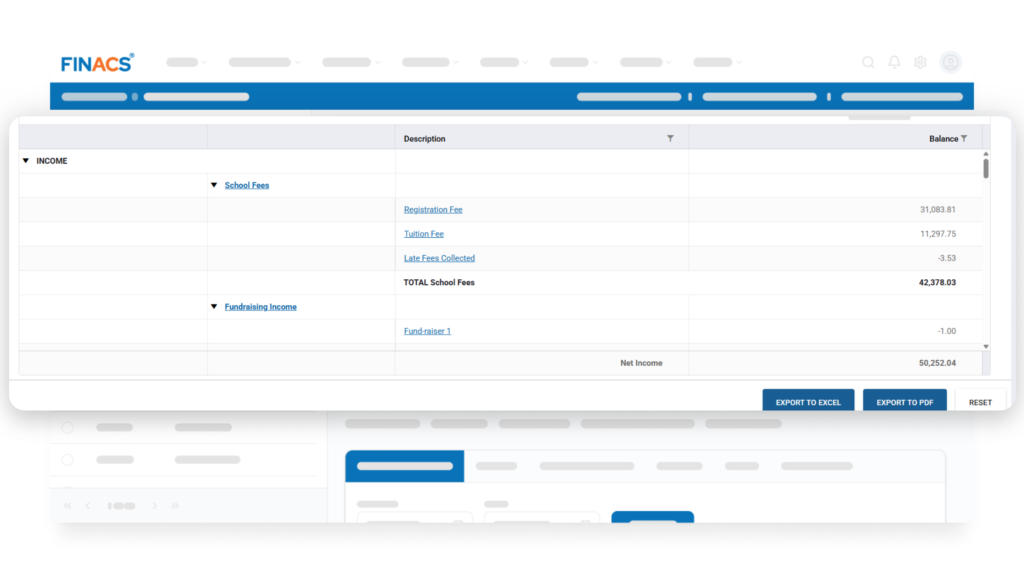
The problem: Student billing transactions affect a school’s accounting records. When billing activity must be entered separately into the general ledger, staff must repeat data entry and check that the accounting records reflect the transactions recorded in student billing.
What FINACS does: FINACS automatically posts billing transactions to the general ledger, connecting student billing activity with the school’s accounting records. This reduces duplicate data entry and helps keep billing and accounting information aligned.
What the team no longer must do: Manually re-enter billing transactions into the general ledger or routinely compare separate records just to confirm that the same activity has been recorded. Staff can focus on reviewing entries, investigating discrepancies, and maintaining accurate accounts.
4. The Export-and-Rebuild Cycle in Financial Reporting
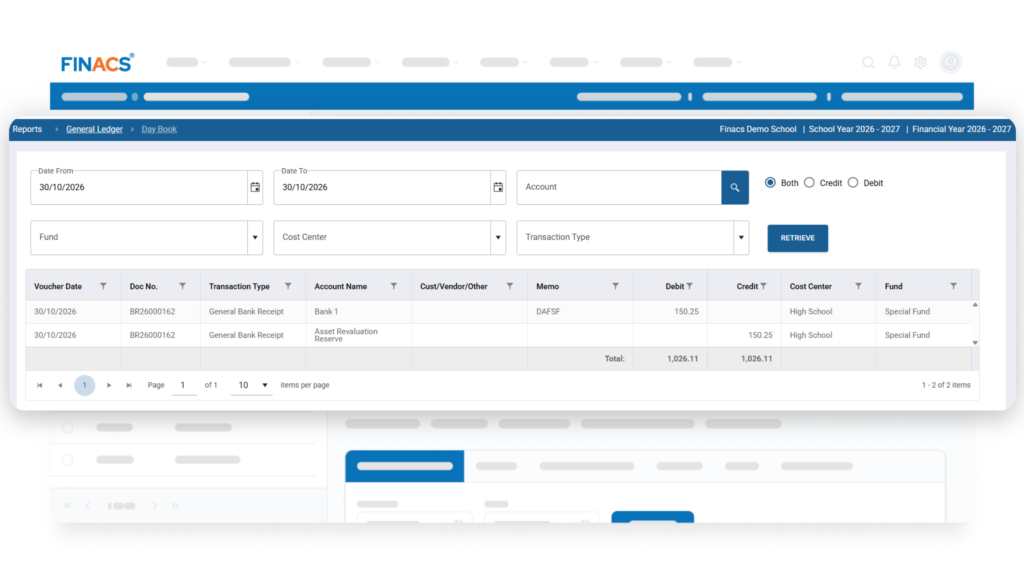
The problem: Preparing financial reports for leadership can require extra work before the figures are ready for review. Staff may need to export data, combine figures, check totals, and reformat information for board meetings or monthly financial reviews.
What FINACS does: FINACS offers more than 30 pre-built financial reports, including income statements, balance sheets, trial balances, fund summaries, and budget variance reports. Its reporting tools provide structured financial information for routine reviews, while budget dashboards help finance teams compare actual results against planned allocations.
What the team no longer must do: Rebuild reports from scratch or repeatedly assemble the same information for each financial review. Staff can spend more time checking results, understanding budget variances, and preparing to answer leadership’s questions.
A Practical Example: From Billing to Financial Review
Consider a school preparing for its monthly finance review. The team needs to issue invoices, record the resulting activity, and understand which accounts remain unpaid.
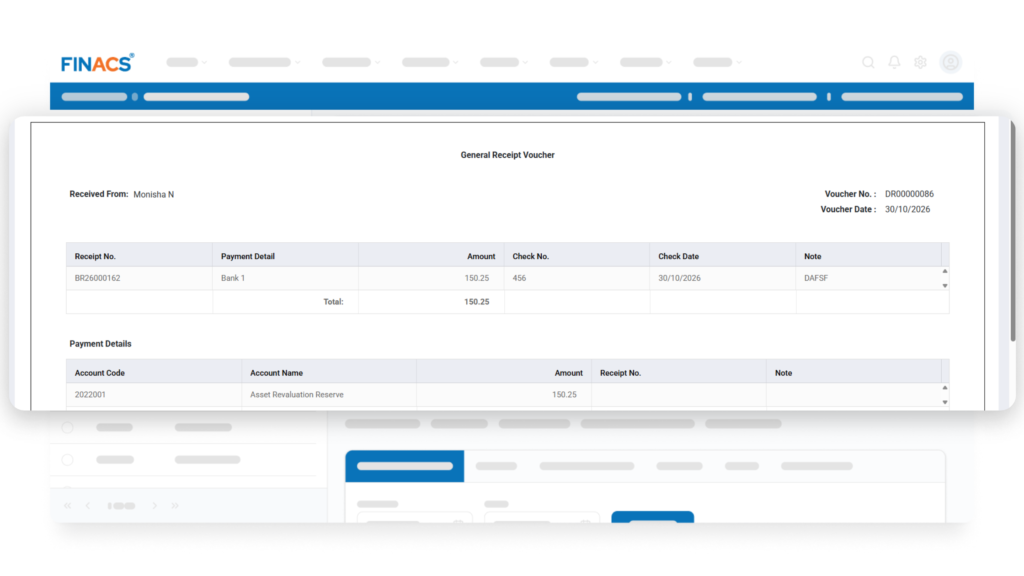
With FINACS, the process can begin with batch invoice generation for the relevant student group. Billing transactions then post automatically to the general ledger, reducing duplicate entry. When the team reviews collections, accounts receivable and aging reports help identify outstanding balances and accounts that may need follow-up.
The finance team still needs to review the figures, investigate unusual balances, and decide how to respond. The difference is that it can work from the system’s billing and accounting records rather than repeatedly transferring information between them.
This is a practical way to assess the value of school finance software: follow one recurring task from beginning to end and identify which manual steps are removed, which checks remain necessary, and where staff can spend their time more effectively.
What Is the Extra Work Costing Your School?
The immediate cost is staff time, but the wider impact is the capacity lost to repetitive preparation. Time spent rebuilding reports or transferring billing information is time that cannot be spent analyzing budget variances, monitoring cash flow, preparing forecasts, or supporting leadership decisions.
MentisSoft’s FINACS website includes a customer account from a Montessori school in California whose finance director describes spending two weeks each quarter preparing board reports before FINACS. The director reports that those reports now take minutes. This is an example of a reported customer experience, not a guaranteed result for every school.
Your school’s results will depend on its existing systems, reporting requirements, and the amount of manual work involved. A useful starting point is to identify one recurring task that consumes significant preparation time, then compare the current workflow with how the same task could be handled in FINACS.
Your Team Shouldn’t Have to Be the Workaround
School finance teams already manage complex responsibilities: maintaining accurate records, overseeing tuition billing, monitoring budgets, preparing board reports, and supporting decisions that affect the school’s long-term financial health.
They shouldn’t also have to spend unnecessary hours moving information between systems or rebuilding reports for routine reviews.
FINACS provides school-focused tools for financial reporting, general ledger accounting, budgeting, student billing, and accounts receivable. By reducing repetitive steps in these workflows, it can help finance teams spend less time preparing information and more time using it.
See how FINACS could work for your school.
Request a demonstration to walk through workflows such as board reporting, batch invoicing, and outstanding balance review.